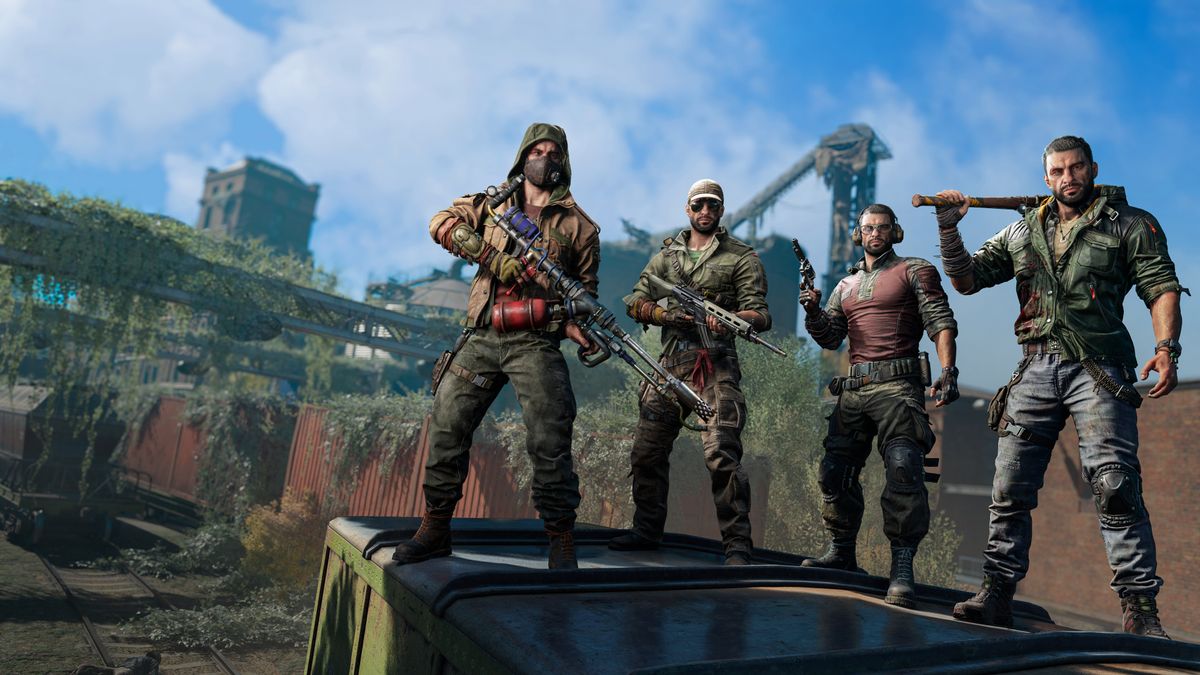
Dying Light 2 Multiplayer Not Working: The co-op component of Dying Light 2 is a major attraction of the game — running, climbing, fighting zombies together with friends is fun. But when multiplayer doesn’t work, it becomes one of the most frustrating issues you can face. Here’s a full guide to why the multiplayer in Dying Light 2 may not be working and how you can fix it.
Why Multiplayer Might Be Failing
Before diving into fixes, it’s helpful to first understand common causes that stop the multiplayer (or co-op) mode from working in Dying Light 2. This helps you target the right solution rather than randomly trying things.
1. Multiplayer not yet unlocked in the game
One overlooked reason: co-op isn’t available right away. According to the official support page for the developer Techland, you must complete the game prologue (specifically the quest “Markers of Plague”) for co-op to unlock. Dying Light 2+1
If you try to invite or join a game too early, you may see no options or have your “invite” buttons greyed out. Reddit users also noted that after that early quest they were finally able to see co-op features. Reddit+1
2. Internet / Network issues
Multiplayer obviously needs good network connections. Slow or unstable internet, high ping, bad WiFi, NAT issues can all interfere. EaseUS+2Games Errors+2 For example, if your NAT type is “Strict” it may prevent joining hosted sessions. UpdateCrazy+1
3. Game servers or matchmaking services down
Sometimes the fault isn’t with you, it’s with the game servers. Reports of “connection failed” or “can’t join player session” have been linked to server-side problems. GameRevolution+1 In those cases you’ll have to wait for Techland or the platform to fix things.
4. Game version / Patch issues
If you have an outdated version of the game, you may experience multiplayer bugs. Many guides emphasise: check for updates, install day-one patches, verify your version. GameSkinny+1
5. Platform / Friend-list / cross-play / host-progress issues
Some weird edge cases:
-
On PC (Steam) the size of your friend-list can cause issues — if you have over ~300 friends you might hit a bug. Appuals+1
-
Cross-platform or cross-generation play may have limitations (depending on version/patch). Some players report friends on other consoles can’t join.
-
Story progress mismatch between host and joiner. According to Techland, the host and peer quests can matter (they ask for info such as what quest both were on) when reporting co-op issues. Dying Light 2
6. Local setup: firewall, antivirus, VPN
On PC especially, firewall or antivirus software might block game networking. VPNs may interfere with matchmaking. Some guides recommend turning off or whitelisting the game. Appuals+1
7. Saved-game or session bugs
Sometimes the issue is more subtle: a corrupted save, or a host’s session is unstable causing instant disconnects. Reddit threads mention being joined for only a few seconds then kicked. Reddit
Step-by-Step: How to Fix Multiplayer in Dying Light 2
Here’s a structured fix list. Try the simpler items first, then move to more involved ones if needed.
Step 1: Confirm multiplayer is unlocked
-
Ensure you (or the host) have completed the prologue and the “Markers of Plague” quest. Until that point the multiplayer menu may not appear or function. GameSkinny+1
-
If you’re the invitee (joining someone) check that the host is far enough in the story.
-
Make sure both players have the game set to “Online” mode (rather than offline mode or single-player only). Many players forget this.
Step 2: Check network / internet connection
-
Run a speed test to check download/upload and ping. Some guides recommend minimum ~3Mbps down and ~1Mbps up and ping under 60ms as a rough benchmark. Games Errors
-
Use a wired (Ethernet) connection if possible — WiFi adds instability.
-
Reboot your router/modem (power down for ~10 seconds and restart).
-
Ensure other devices on your network aren’t saturating bandwidth (downloads, streams, game updates).
-
On consoles, check NAT type: you ideally want NAT Type 1 (Open) or at least Type 2. Strict/NAT3 can cause issues. UpdateCrazy
-
If you use a VPN, disable it temporarily and see if multiplayer works.
Step 3: Update game & platform
-
On PC (Steam/Epic) check for updates and ensure the game is at the latest version. Some issues were patched. KrispiTech+1
-
On consoles (PS4/PS5/Xbox) check for system updates and game updates.
-
After update, restart the game and possibly the system.
Step 4: Verify integrity / reinstall
-
On PC, if using Steam: right-click the game → Properties → Local Files → “Verify integrity of game files”. Corrupted files may block multiplayer. Appuals+1
-
If all else fails, uninstall the game and reinstall it. This is more time-consuming but sometimes necessary. KrispiTech
Step 5: Firewall/Antivirus/Exception settings
-
On Windows: go to Settings → Update & Security → Windows Security → Firewall & network protection → Allow an app through firewall. Add Dying Light 2 and ensure it has permission. Games Errors
-
If you have third-party antivirus, try disabling it temporarily to test multiplayer. If it works with antivirus off, add the game to its exclusion list. KrispiTech+1
-
Some routers also have firewall/NAT settings — check if any port blocking or UPnP is disabled.
Step 6: Port forwarding / NAT adjustments (advanced)
If your NAT type is problematic or you frequently cannot host or join games, you can forward ports on your router. Guides list specific ports for PC and consoles:
-
PC (Steam) TCP: 27015, 27036; UDP: 27015, 27031-27036 Appuals
-
PS4/PS5: TCP: 3478-3480; UDP: 3074, 3478-3479 Appuals
-
Xbox: TCP: 3074; UDP: 88, 500, 3074, 3544, 4500 Appuals
Enable UPnP if your router supports it, which can help automatic NAT configuration.
Step 7: Friends list / host-progress quirks (PC specific)
-
On Steam PC, if you have more than ~300 friends you may face multiplayer errors in Dying Light 2. Reddit users report removing enough friends (to under ~300) allowed multiplayer to work. Reddit+1
-
Make sure the host is not playing with an ally whose game progress is extremely divergent; try to be on similar mission progress or join after same quest point. The support page indicates quest mismatch can matter. Dying Light 2
Step 8: Temporary workarounds (if still broken)
Some users have discovered quirky workarounds which may help until a full fix / patch is applied:
-
Launch the game in offline mode: disconnect your internet, start Dying Light 2, load your save, then reconnect your network. Some reported that this trick let them join/host. perfectgamingcenter.net+1
-
If you’re on console: some players said: turn off internet, load game, then turn internet back on while in the pause/online menu, then invite/join. (Not guaranteed, clearly a workaround.) Reddit
Step 9: Check server status and official announcements
If you’ve done everything else and it still fails, it might well be on Techland’s side. They have acknowledged that co-op and connection issues were on their priority list. Gamepur+1
Check:
-
Official Dying Light 2 Twitter or website
-
Community forums (Steam discussions, Reddit)
-
Third-party websites like Downdetector to check server status
Step 10: Contact support
If none of the above works, gather all relevant info and submit a ticket:
-
Your platform (PC/PS/Xbox)
-
Game version
-
What exactly happened (invite failed? join failed? disconnected after x minutes?)
-
Host’s & peer’s mission/quest state
-
Your NAT type, network details, whether you’ve forwarded ports or tried offline launch
Techland’s support page lists what info they ask about. Dying Light 2
Borderlands 4 Multiplayer Not Working: How to FIX
Summary Checklist
Here’s a quick checklist you can run through:
-
Completed “Markers of Plague” quest / unlocked co-op
-
Both players in Online mode (not local/offline)
-
Internet connection stable (wired if possible)
-
Game and system fully updated
-
Verified game files / reinstalled if needed
-
Firewall/antivirus excluded or disabled for the game
-
NAT type is “Open” / ports forwarded if needed
-
Steam friends list under ~300 (PC)
-
Host & friend at similar story progress
-
Server status checked (not down)
-
Support contacted if still failing
FAQs (Frequently Asked Questions)
Q1: Why can’t I invite my friend or join their game even though we’re both online?
A: There are several possible causes: you may not have reached the required story point (the prologue/Markers of Plague) to unlock multiplayer. The host might have a strict NAT type which blocks incoming connections. Or if you’re on PC, your Steam friend-list may exceed ~300 friends causing a bug. Also check if the host’s story progress matches yours: big divergence can cause join failures. GameSkinny+2Reddit+2
Q2: My game says “Validation of joining availability” and then nothing happens—what’s that?
A: That message often appears when the game is trying to allow you to join a session but can’t complete the process—usually due to network/NAT issues or host session problems. On PC, the “over-300 friends” bug was specifically linked to this message. Reddit+1 Try reducing your friend count, ensure NAT is open, and reboot your router.
Q3: I keep getting disconnected mid-game while playing co-op, why?
A: Mid-session drops can indicate network instability (spikes, modem/router issues), or host’s connection going unstable, or server issues. Also double-check that host & clients are running the same game version and no one has mods interfering. Forum reports show reliability improved when switching to wired and ensuring latest patch. GameRevolution
Q4: I’m using a VPN/Proxy – could that be the cause of my multiplayer problems?
A: Yes. Using VPNs can interfere with matchmaking, cause mismatch in region, NAT issues, or odd routing delays. Some guides advise disabling VPN services temporarily when playing. OMGGamer.com+1 If you must use a VPN, try adding an exception or connecting via a VPN server closer to your region and check NAT type.
Q5: After trying everything I still can’t play co-op—what now?
A: At that point your best bet is to contact Techland support. Provide details of your system, platform, game version, NAT type, attempts you’ve done, what exactly fails (invite, join, mid-game crash), and ideally screenshots or logs. Meanwhile you might play in single-player or look for community discussion threads in case others have platform-specific fixes or upcoming patches. Gamepur
Final Thoughts
Multiplayer issues in Dying Light 2 can stem from many sources — from not having unlocked co-op yet, to network/NAT quirks, to game bugs. The good news is: many players have fixed them using the steps above. The bad news is: some issues are due to server-side bugs or host-friend mismatches which require patience or a patch.
If you follow the structured checklist above and still encounter problems, you’re likely dealing with a less common issue (mod interference, platform-specific bug, corrupted save, etc.). In that case, gather info and reach out to official support while keeping an eye on developer updates.