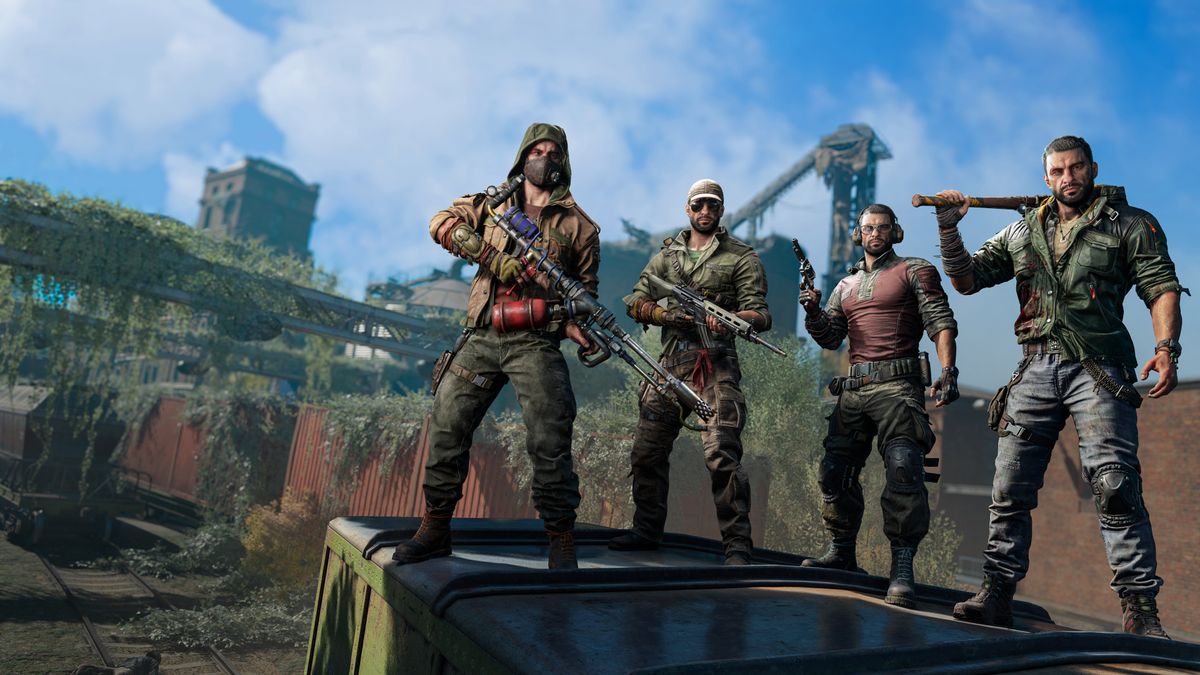
Dying Light 2 Sound Not Working/ Low Volume/ Audio Cutting Out: For many players of Dying Light 2: Stay Human, audio issues such as no sound, extremely low volume, missing dialogue, or sound randomly cutting out have become a frustrating part of the experience.
The good news: many of these issues are solvable with a methodical approach. This article breaks down the problem, offers step-by-step fixes (for PC and consoles), and ends with a full FAQ.
What kinds of audio problems are being reported?
Here are some of the most common symptoms players see:
-
Complete silence (no game audio or voices) while the game appears to run fine. Reddit+3Dying Light 2+3BRGeeks+3
-
Only background music or very low “ambient” sounds, while key sound effects (footsteps, dialogue, weapons) are missing. Reddit+2Reddit+2
-
Dialogue cut-off mid-sentence, or voices not playing at all in cut-scenes. Reddit+1
-
Audio volume far lower than expected (even with all volumes up) or one channel missing (e.g., only left or right speaker working). Re-actor
-
Sound-effects crackling, popping, stuttering, or cutting out after some time playing (especially on console). Reddit
These issues appear on PC and console (PS4/PS5, Xbox One/Series) and seem to stem from a mixture of driver/device problems, output device mis-selection, and game-specific bugs.
Why do these audio problems happen?
Here are common root causes and how they relate to the issues above:
-
Wrong audio output device selected – If your system or game is sending the audio to a non-connected or incorrect output (e.g., a detached headset or virtual audio device), you’ll hear nothing. Dying Light 2+1
-
Audio driver / audio device issues – Outdated, corrupted or mismatched drivers can cause missing sound, low volume or cut-out issues. Xbox & Play Games+1
-
In-game audio settings / format mismatch – Game might be set to surround when your device only supports stereo, or spatial/sound enhancement features (Windows Sonic, Dolby Atmos) may conflict with the game. BRGeeks+1
-
Sound enhancements / “volume equalization” / “audio improvements” interfering – Some Windows options such as enhancements cause audio dropouts or low volume. Reddit+1
-
Hardware / console temporary glitch – On consoles, the system state or save data may cause audio to degrade until a restart is done. Some users report the bug appears after 2-3 hours of play. Reddit
-
Game-specific bug – Developers acknowledge there are sound issues in the game, and patches have addressed some but not necessarily all combinations of hardware/settings yet. Pro Game Guides+1
Because the problem can stem from both system setup and game behavior, fixing it often requires checking both sides.
Step-by-Step Fixes for Audio Problems
Work through these in order — start with easiest and move on until the issue resolves. Many players find one of the early steps does the trick.
Step 1: Confirm audio output device
-
On PC (Windows): Right-click the speaker icon → Open Sound Settings → under Output, ensure the correct device (headset, speakers) is selected. Then right-click → Sound → Playback tab → your device → Properties → Advanced tab → ensure the “Default Format” is something standard (e.g., 24 bit, 48000 Hz) and disable “Spatial Sound”. Xbox & Play Games+1
-
On Console: Go to your system’s audio output settings (e.g., PS5: Settings → Sound → Audio Output) and ensure the correct output (HDMI/optical/headset) is chosen. If you’re using a headset, try unplugging/re-plugging.
-
In Game (PC/console): In Dying Light 2, open Options → Audio and ensure the “Output Device” (if listed) aligns with your system device. Also check that Music, SFX, Dialogue sliders are not all the way down.
Step 2: Restart the game / system
-
On PC: Close the game entirely, reboot your computer, then launch the game again. Some users report this resolves transient audio dropouts. Pro Game Guides+1
-
On Console: Exit the game, fully turn off the console (not just suspend), wait 30 seconds, power back on and relaunch the game.
-
If issues persist only after some playtime (e.g., after 2-3 hours), try quitting and relaunching before continuing.
Step 3: Update audio drivers / console firmware
-
PC: Open Device Manager → Sound, video and game controllers → right-click your audio device → Update driver. Check your motherboard/sound card manufacturer website for the latest firmware. Xbox & Play Games+1
-
Console: Ensure your system software is fully up to date (Settings → System → Software Update).
-
Also check the game itself is patched to the latest version.
Step 4: Disable audio enhancements / special effects
-
On PC: Playback device → Properties → Enhancements (or “Improvement”) tab → tick Disable all enhancements (or turn off volume equalization, spatial sound). Many users report this helps restore consistent volume and fix missing dialogue. Reddit+1
-
On Console: Turn off any “3D Audio” or “Spatial Sound” features temporarily to test if they are interfering.
Step 5: Adjust in-game audio settings
-
In Dying Light 2 (PC/console):
-
Try switching the Audio Mode (if available) from “Surround” to “Stereo Only” – some users report Stereo mode behaves more reliably. Android Gram
-
Adjust volume sliders (e.g., reduce Music level, boost SFX) just to test if relative levels are causing perception of low volume.
-
Save settings, exit menu and return to game; audio might “pop” back into proper behavior.
-
Step 6: Check for corrupted game files / reinstall (PC)
-
On Steam (or Epic, as applicable):
-
Library → Right-click Dying Light 2 → Properties → Local Files → Verify integrity of game files. This will download missing/corrupt data. Xbox & Play Games
-
-
If that doesn’t fix it, consider a full uninstall + reinstall of the game (important if multiple audio issues persist).
Step 7: For consoles and co-op sessions – check host/guest state
-
Some reports indicate in co-op mode on console the joining player loses audio while the host retains it. Reddit
-
If you’re the guest, try switching to host and see if audio returns. If not, host the game, save, exit to main menu, then reload as host.
Step 8: If volume is too low – adjust system format and speaker configuration
-
On PC: Playback device → Properties → Advanced tab → Default Format → choose “24 bit, 48000 Hz (Studio Quality)” or “16 bit, 44100 Hz” and test. Some users found this boosted perceived volume. BRGeeks+1
-
Check speaker/headset wiring: ensure no loose connections, correct port (front/back), and that headset settings (in hardware driver) are correct (not set to “night mode” or “voice only”).
Step 9: Monitor pattern / temporary workaround
-
If audio disappears after a certain time of play, note the time and what you did just before: e.g., joined co-op, fast travelled, entered a certain zone.
-
Use a workaround if needed: save game, exit to main menu or quit game, then reload. Many users report this “resets” the audio until the next drop. Reddit+1
-
Consider posting your issue (with platform, game version, console/PC, headset/speakers) to the developer’s support page. Dying Light 2
Console-Specific Tips (PS4/PS5, Xbox One/Series)
-
Try using wired headset (USB or 3.5mm) instead of Bluetooth, as wireless can introduce issues.
-
If using TV/receiver audio, check HDMI-CEC or Audio Return Channel (ARC) settings – sometimes switching to PCM versus Bitstream helps.
-
On PS5: Settings → Sound → Audio Output → Set the correct device, and test with “Output to Headphones” = All Audio.
-
On Xbox Series: Settings → General → Volume & audio output → Ensure correct output, and under “Chat mixer” check that it’s not suppressing game sounds hoping to favour chat. (see related guide) WSI Img
-
If the bug persists after many restarts, consider deleting game cache (by fully powering off console and unplugging it for 30 seconds) or reinstalling the game.
When it’s likely a bug (and you’ll need to wait for a patch)
Despite all the fixes above, some players still experience persistent issues that appear to be tied to the game itself:
-
Dialogue cutting off mid-sentence in many quest dialogues. Reddit
-
Sound completely vanishing only after some hours of play, even when everything else appears correct. Reddit
-
Audio working in solo but breaking/co-op joining triggers the bug.
If you’ve tried all system-side fixes and the problem remains, you may need to file a bug report with the developer Techland and wait for further patching. Pro Game Guides
Borderlands 4 Sound Not Working / Low Volume / Audio Cutting Out: How to FIX
Marvel’s Spider-Man 2 Audio Not Working or Crackling Sound Issue on PC: How to FIX
Summary Checklist
-
✅ Select correct output device
-
✅ Restart game/system
-
✅ Update drivers/system software
-
✅ Disable audio enhancements / spatial sound
-
✅ Set audio mode in game to Stereo
-
✅ Verify game files / reinstall if needed
-
✅ Adjust system format (24-bit/48 kHz) if volume is very low
-
✅ Note if bug occurs around specific triggers (fast travel, co-op join)
-
✅ Report persistent issues to Techland if fixes don’t work
Frequently Asked Questions (FAQ)
Q1: Why can I hear music but no dialogue or sound effects?
A1: This often means your system output is correct but the game is mis-routing sound channels (e.g., using surround channels you don’t have). Check the game’s audio mode (set to Stereo only) and disable spatial/surround features in your system. Also test that SFX and Dialogue sliders in game audio settings are not muted or turned down.
Q2: My volume is extremely low—system volume is maxed out, but voices are whisper-level. What do I do?
A2: On PC, go to Playback device → Properties → Advanced → Default Format: choose a higher quality (e.g., 24 bit, 48000 Hz). Also disable enhancements like “volume equalization” which may compress volume. Re-actor On console, check if your TV/receiver has a “Night Mode” or other normalization feature that decreases loudness.
Q3: Sound randomly disappears after playing for a while. Why?
A3: This is often tied to a bug either in the game or with memory/driver state on console. A full quit and restart usually restores sound temporarily. If it happens consistently, take note of what you did just before (joined co-op, fast-travelled, etc.) and report it. Reddit+1
Q4: I use a USB headset—could that be the problem?
A4: Possibly. USB headsets require drivers and may be recognized differently by the system and game. Try switching to a standard analog 3.5mm headset or speakers to test. On PC, verify that the USB device driver is up to date. Some players found replacing the headset temporarily solved it. Xbox & Play Games
Q5: I’m playing on console with friends, and my friend loses all audio when he joins—why?
A5: This sounds like a co-op specific bug in Dying Light 2. Many players report that the joining player loses sound while the host does not. Workarounds: host the game yourself, then invite your friend; or exit to main menu and reload as host. If issue persists, report to Techland with details (platform, patch version, save file state). Reddit
Q6: Will switching off “Spatial Sound” or “Dolby Atmos” fix it?
A6: Yes, in many cases. Spatial audio features can introduce conflicts, especially if the game expects stereo output. On Windows, disabling spatial sound under Playback device → Properties → Spatial Sound (set to None) has helped users. Reddit
Q7: Should I reinstall the game?
A7: Reinstalling is a more extreme step and usually last-resort. Before reinstalling, try verifying game files (PC), restarting the system, updating drivers, and checking audio mode/settings. If none work, reinstalling (or deleting save + reinstalling) may be required. Many users reported this helped after persistent issues. Reddit
Q8: Does lowering graphics or performance settings affect audio?
A8: Not directly. Audio issues in this case stem from hardware/software/driver mis-configuration rather than graphics settings. However, if your system is under heavy load (GPU/CPU bottleneck), you could experience audio stutters – so ensuring stable performance helps overall experience.
Q9: I’m on PC. Can an old sound card/driver cause this?
A9: Yes. If your sound hardware is outdated, or drivers haven’t been updated for years, you may run into compatibility issues. Updating drivers, or temporarily using another audio output (e.g., USB headset, external sound card) can test if the problem is hardware-related. Some posts recommend uninstalling the audio driver entirely and reinstalling a clean driver. Driver Easy
Q10: The game was working fine, but now audio is broken after a patch—what can I do?
A10: First test the easy steps (restart, check device, disable enhancements, etc.). If the problem began immediately after a patch, it might be a bug introduced in that version.
In this case report the issue to Techland (include platform, version, system specs). Meanwhile, you may load an earlier save (if available) or temporarily avoid playing until the next patch if audio is essential. The developer acknowledged sound glitches in previous patches. Pro Game Guides+1
Final Thoughts
Audio problems can make even the most immersive game feel broken, especially when voices vanish, sound effects ignore you, or volume drops into inaudibility.
The good news is: many of the issues in Dying Light 2 are fixable without waiting on the next patch. By systematically checking your output device, driver/software state, in-game settings, and system enhancements, you’ll likely restore crisp sound within minutes.
If, however, you encounter a persistent bug tied to co-op joins, long play sessions or a specific console version, documenting and reporting it will help the developer address the remaining cases.